
TL;DR:#
CachyOS is an Arch-based distro optimized for modern CPU architectures (x86-64-v3/v4). It offers effortless installation, superior kernel performance, and mature support for both handheld devices and NVIDIA hardware right out of the box.
Introduction: What sets CachyOS apart?#

Many users are drawn to the Arch Linux ecosystem for its bleeding-edge updates but are often deterred by the manual setup and driver configurations. CachyOS addresses these hurdles. Beyond its aesthetic polish, CachyOS distinguishes itself from standard Arch by offering a pre-tuned environment designed for improved system responsiveness.
Key Technical Features#
x86-64-v3 and v4 Optimizations#
The primary technical advantage of CachyOS is its use of optimized repositories. While most distributions target broad compatibility, CachyOS provides packages specifically compiled for:
- x86-64-v3: Supported by most CPUs from 2013 onwards (utilizing AVX2).
- x86-64-v4: Supported by the latest generations of CPUs (utilizing AVX-512).
Kernel Selection & BORE Scheduler#
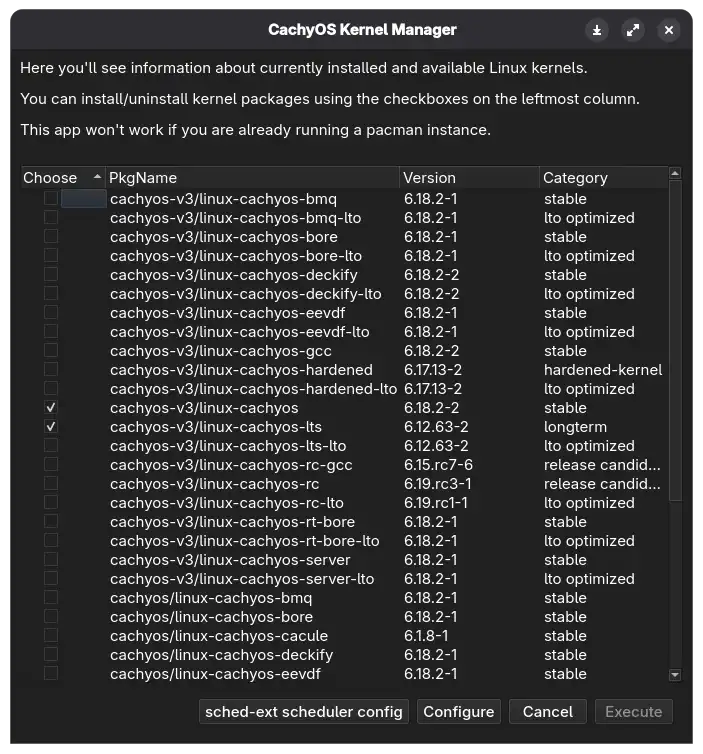
A standout feature is the CachyOS Kernel which utilizes the BORE (Burst-Oriented Response Enhancer) Scheduler. This scheduler is engineered to prioritize system responsiveness under heavy computational loads, such as during high-end gaming or multitasking.
A Flexible Installation Process#
Using a customized Calamares installer, CachyOS offers granular control over the initial system state:
- Selective Packaging: Users can choose exactly which software components to install, preventing unnecessary “bloat” and ensuring a lean system from day one.
- Desktop & WM Choice: The installer supports a wide range of environments, from full-featured desktops like KDE Plasma and GNOME to window managers like Niri, all with stable default configurations.
Driver Integration & AUR Support#
- NVIDIA Support: The installer simplifies setups by automatically detecting hardware and installing the appropriate drivers, including a functional Wayland configuration.
- Native Paru: CachyOS includes Paru, a fast Rust-based AUR helper, by default. This provides immediate access to the Arch User Repository without further configuration.
CachyOS Tools#
CachyOS provides several custom GUI utilities that simplify system maintenance for both new and experienced users:
- CachyOS Package Installer: A curated tool for installing popular applications (browsers, media players, and office suites) via a simple interface, reducing the need for manual package searching.
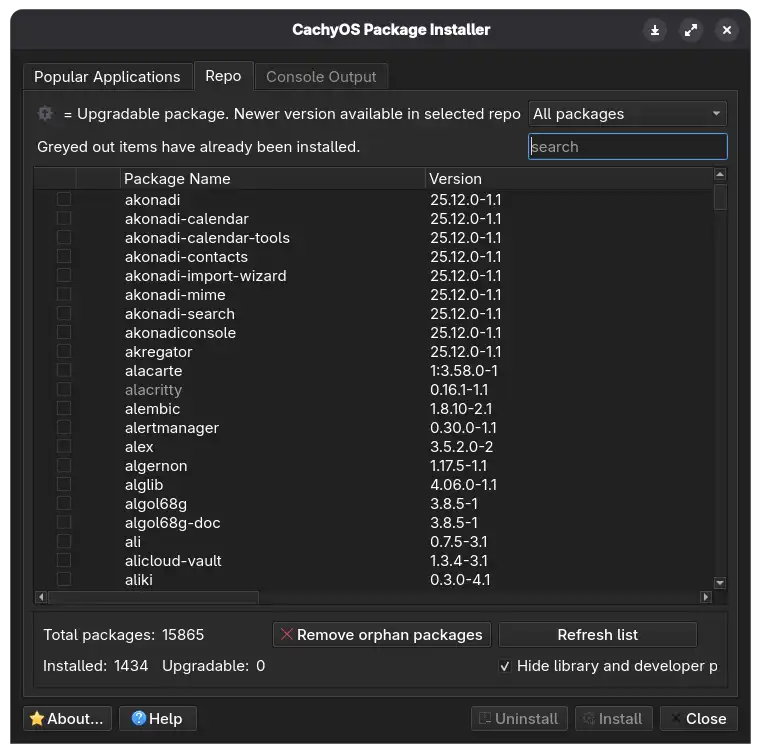
- CachyOS Kernel Manager: A dedicated utility that allows users to easily install, remove, or switch between various kernel versions (LTS, Zen, or CachyOS-specific builds) without using the command line.
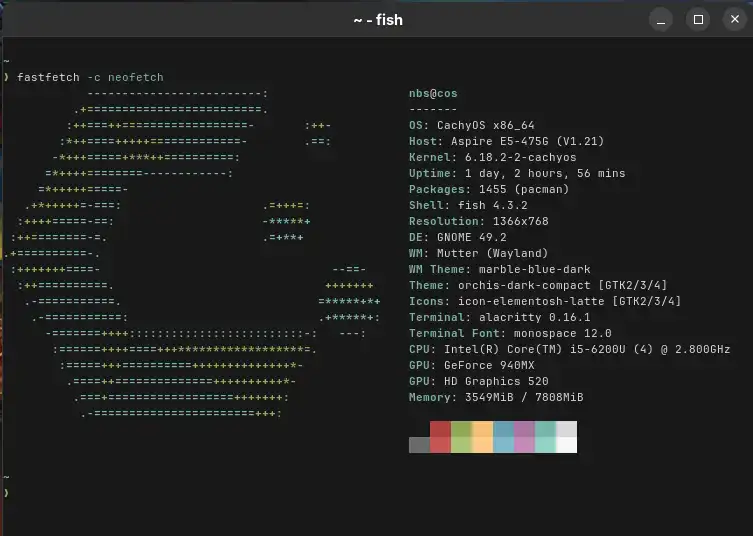
- Optimized Terminal Environment: The default CLI experience is highly functional, typically using Fish or Zsh. It comes pre-configured with syntax highlighting and auto-suggestions, making the terminal more accessible.
Personal Insight#
My two month experience indicates that CachyOS is a stable option within the rolling-release category. The CachyOS Wiki serves as a reliable resource for troubleshooting and further customization. To date, I have not encountered significant bugs or system failures, and the performance has remained consistent. It offers a modern, efficient, and well-maintained entry point into the Arch ecosystem.
References#
CachyOS Official Website
CachyOS Wiki - Optimizations
GitHub - CachyOS Kernels
Paru AUR Helper